
Android early access · Google Play closed test
Try fridgiary before its first Google Play release.
Start in about five minutes, try one photo scan, and stay opted in for 14 days. Your feedback will shape what we improve before launch.
Start the three steps- Worldwide
- Free
- About 5 minutes to start
- 14 days
Join the test
Use the same Google account for all three steps.
The links open in separate tabs. Complete them in order on the Android account you use with Google Play.
- 01Open Google Group
Join the tester group
Join the Testers Community Google Group so Google Play can recognize your account as eligible for this closed test.
- 02Open opt-in page
Choose to become a tester
Open the opt-in page with the same account and select Become a tester before continuing.
- 03Install fridgiary
Install from Google Play
Install fridgiary from its Play listing. If the install button is missing, check that the account matches steps one and two.
A useful first test
Four small checks give us meaningful feedback.
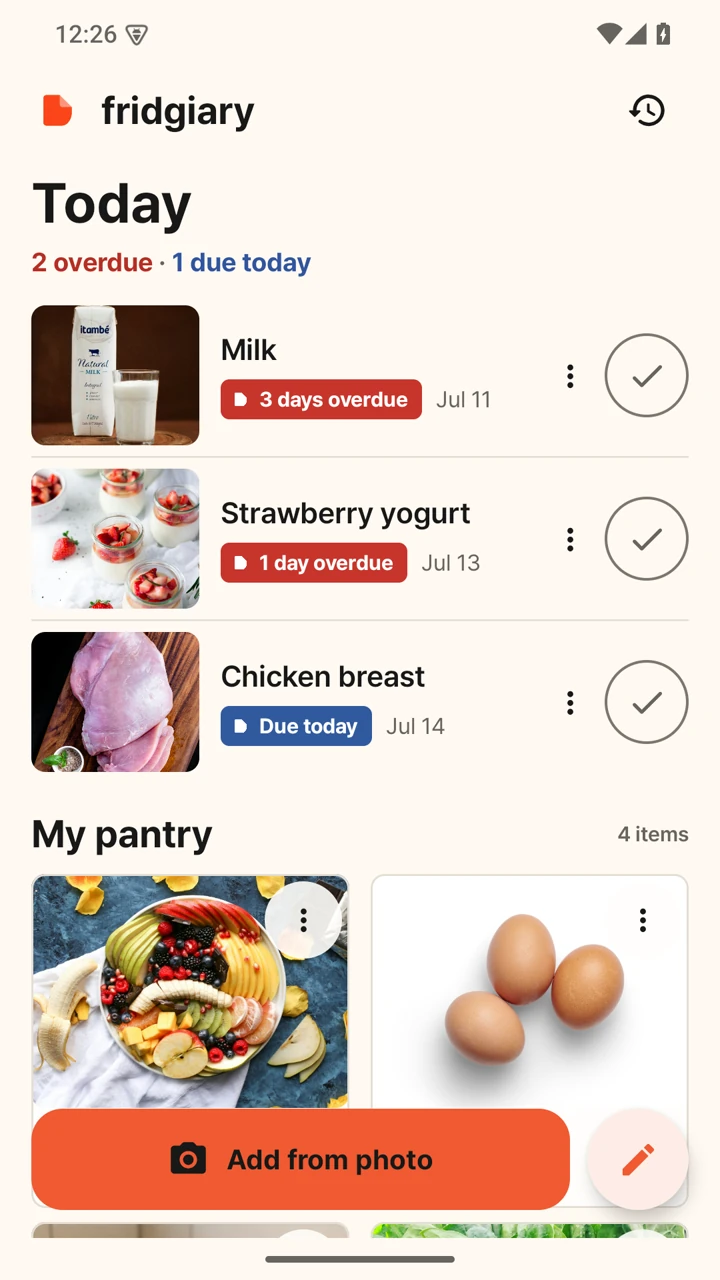
Add one item manually
Check whether the item name, date, and reminder flow are easy to understand.
Scan one package photo
Photograph a printed date, then confirm or correct the date candidate.
Return during the test
Open the app two or three more times and keep it installed and opted in for 14 days.
Share one honest sentence
Tell us what was clear, confusing, slow, or missing. A short note is enough.
Private by default
Your package photos stay on your phone.
fridgiary does not require an account, show ads, take payments, or upload food photos to a fridgiary server. Date recognition runs on the Android device and always asks you to confirm the result.
- No fridgiary account
- On-device date recognition
- You confirm before saving
Complete the loop
Send one completion note, then stay opted in.
The button opens a prefilled email checklist. Mark only what you completed, add one honest sentence, and keep the test active for 14 days. No screenshot or account detail is needed.